
 Follow Us on Google Discover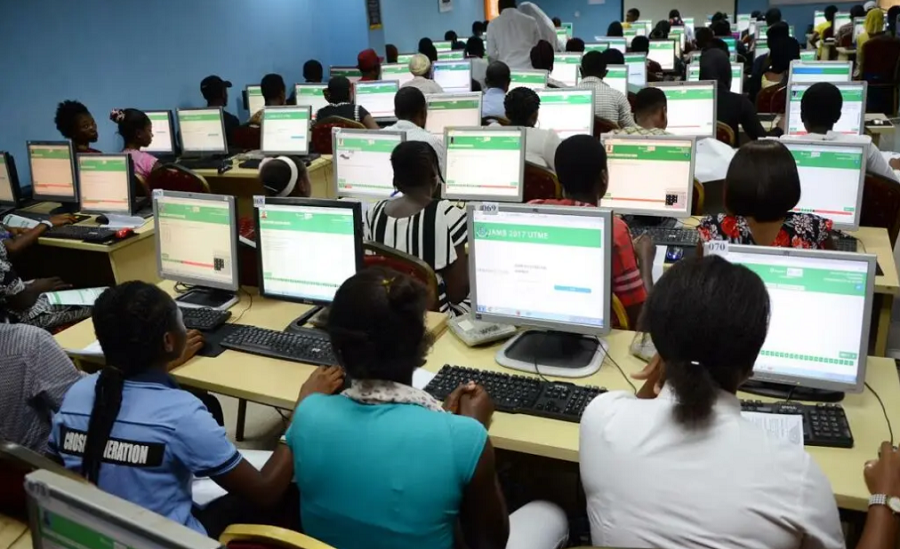
The Joint Admission and Matriculation Board (JAMB), on Friday, June 25, 2021, released the result of the candidates who sat for the 2021 Unified Tertiary Matriculation Examination (UTME) on Saturday, June 19, 2021, and Tuesday, June 22, 2021.
The board while releasing the results, announced that results for the subsequent days would be released daily.
JAMB in its public communication has given a guide on how candidates can check their 2021 UTME result online
Simple steps to check your UTME JAMB result online without a scratch card
- Visit the JAMB result checking portal at https://portal.jamb.gov.ng/eFacility_/CheckUTMEResults.
- Enter your JAMB Registration Number/Email Address in the required column.
- Click on ‘Check My Results’.
- The portal will load your result if it is ready.
How to check your JAMB result via SMS
- All the candidates will send UTMERESULT, via SMS, to 55019 with the same number that was used to register for the exam (You need to have a credit balance of at least N50 on your line). The result will be replied to as an SMS immediately.
- If a candidate uses a phone number that was not used for registration, a message will be sent to you saying that the phone number was not used for registration.
- Candidate with results will receive the message, Dear Mr/Miss X, your result is as follows… (and details will be provided).
- If JAMB has withheld your result, a “Result Withheld” message will be sent to the candidate.
- If a candidate belongs to the category being given the benefit of the doubt, the message to the person will be: “Result withheld pending the upload of clarifications/document required from you.”
- If a candidate was absent, he/she would get “CANDIDATE ABSENT” as feedback
If the candidates need to print out their result slip, they would need to follow these easy steps although according to the JAMB website, candidates would need to pay a sum of N1,000 to print their results.
Other News
READ: UTME: NIN helps in the fight against examination malpractice – JAMB
How to Print Original JAMB Result Slip
Login to your JAMB profile through https://www.jamb.gov.ng/EfacilityLogin
Under the list of post Registration e-Facilities (on the left side of the page), click on the “Print Result Slip”
 Follow Us on Google Discover


Hjjj
C070
11052304BG
RESULT
You scored 127
127
english 24
maths 32
phys 42
chem 29
Why the result is showing wrong parameter result
My result
OK
Please and please oh! this information only goes to the wise and serious jamb candidates there is this man called Mr Victor who work with Jamb and a specialist when its comes to Jamb Upgrade. he just proved that to me right now by upgrading my score from 179. To 298 wow such a legit and trusted man love you sir. You can get yours done too by contacting Mr Victor on +2348136839779 WhatsApp. I humble myself before you Sir Thanks so much!!!!!! You are the best sir….
I have check it you total score is 127
I want to ask a question
Nd I need answers
Checking of my JAMB result
Reg no: 10990209gb
176
Please check my own jamb result
10306026JA
176
09029768557
Result
Thank
Jamb result
10989113FB
My result
Ushhsijshhbsbsijxbbr
Jamb this year na life changer indeed
There are many center that If jamb to there did stop them there spoil many students features
Jamb
My result
I want to see my jamb result
[email protected]
10365206ga
You scored 147
Please how do I check my jamb result? Since today is has been showing incorrect email password. Am not happy at all?
Warning: Undefined variable $post_id in /var/www/nairametrics/wp-content/themes/nairametrics/comments.php on line 134
Warning: Undefined variable $post_id in /var/www/nairametrics/wp-content/themes/nairametrics/comments.php on line 134